How to Set Up an Online Booking System: The Founder's Guide to Saving Time and Scaling Smarter
- Christopher. H

- Oct 1, 2025
- 5 min read
Updated: Dec 1, 2025
Imagine this: a potential client is ready to book, but it’s 11:37pm and your business is closed. No one answers the phone, and there's no way to lock in a spot. So they bounce to a competitor who does have online booking.
That’s the moment you lost a sale.
An online booking system isn’t just convenient. It’s a competitive edge. And for founders and service-based businesses, it’s one of the simplest ways to boost conversions, reduce admin, and deliver a better customer experience.
In this guide, we’ll walk you through how to choose, set up, and optimise your online booking system step-by-step.

What Is an Online Booking System?
An online booking system is a digital tool that allows customers to view availability and book services or appointments directly from your website or link. It automates scheduling, confirmations, payments, and reminders.
You’ve used them yourself: whether you’ve booked a haircut, a coaching session, or a gym class online.
The goal is to eliminate back-and-forth and let your calendar run itself.
Common Types of Booking Systems
Service-based bookings (e.g. salons, coaches, consultants)
Event bookings (e.g. workshops, classes, webinars)
Productised services (e.g. photo sessions, audits, 1:1 packages)
For small business owners and startup founders, online booking tools let you:
Get paid upfront or confirm free appointments
Reduce no-shows with reminders
Sync bookings with your Google Calendar or CRM
Why Setting Up an Online Booking System Matters
Let's talk about why this is more than just an admin tool.
Real-World Example
One of our clients, a Melbourne-based naturopath, was manually taking appointments via DM and phone. She was losing hours every week, missing follow-ups, and overbooking. We implemented Calendly, synced it to her Google Calendar, and automated reminders via text. Within 30 days, her no-shows dropped by 80% and she regained 6+ hours per week.
An online booking system isn't just a timesaver. It's a trust builder.
Automation doesn’t remove the human touch. It gives you more time to show up when it actually matters.
With a solid system, you:
Gain back hours of admin time each week
Convert more leads by making it easy to take action
Look more professional and established
Reduce friction in your sales funnel
It's not just for large teams. In fact, it matters more when you're small and wearing all the hats.
What You Need Before You Start
Before You Build: Get Clear First
You don’t need a 20-page ops manual to set up a booking system — but you do need clarity. Before touching any tech, take 15 minutes to map the basics. Otherwise, you'll be making decisions on the fly… and that's how things break.
Ask yourself:
What hours are you (or your team) actually available to take bookings?
What are your core services — and how long do they take?
What’s your cancellation and reschedule policy?
Will you take payment at the time of booking, or later?
Mentor Tip:
Don’t try to build out every offer from day one. Launch with your top 1–2 core services and let your system grow with you. Clarity now saves chaos later.
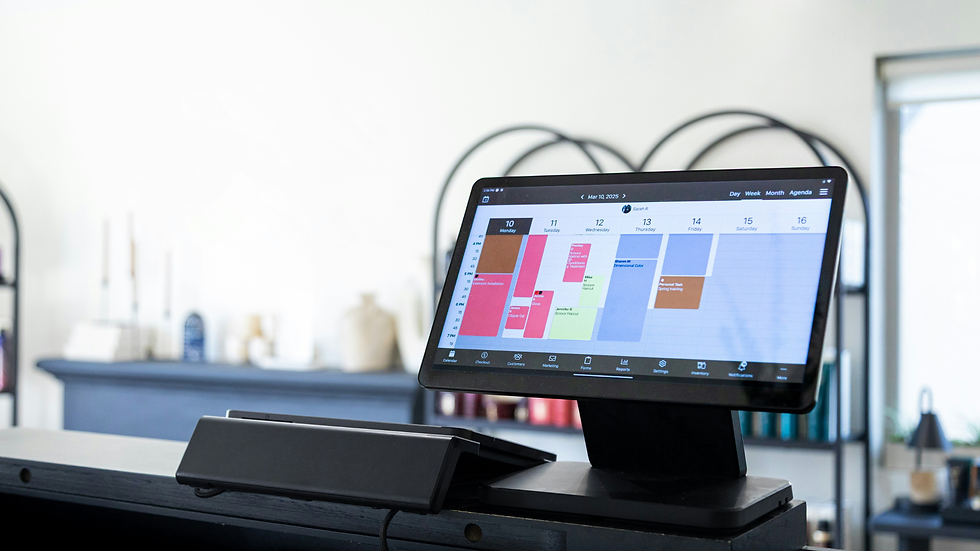
How to Set Up Your Online Booking System:
Step-by-Step
Step 1: Choose Your Booking Platform
Popular tools include:
Calendly – simple, clean, integrates with everything
Acuity (now owned by Squarespace) – great for paid appointments
Wix Bookings – perfect for Wix users, integrates with site and email
Square Appointments – ideal for service-based and POS businesses
Result: You pick a system that suits your offers and tech setup.
Step 2: Set Up Your Availability
Block out personal time and work hours
Define booking windows (e.g., 24h notice, max 30 days out)
Set buffer time between appointments
Result: You stay in control of your schedule without chaos.
Step 3: Add Services or Appointment Types
Name them clearly (e.g., "Free Discovery Call", "60-Min Coaching")
Include durations, descriptions, and outcomes
Set pricing if applicable
Result: Clients book the right session without confusion.
Step 4: Embed or Link to Your Booking Page
Add booking buttons to your homepage, contact page, and CTAs
Use direct links in your emails, bio, or proposals
Result: Booking becomes part of your funnel, not an afterthought.
Step 5: Automate Reminders and Follow-Ups
Email or SMS reminders 24h and 1h before
Follow-up email or feedback form after the session
Add calendar sync and time zone adjustment
Result: No-shows drop and your experience feels pro.

Costs: DIY vs Hiring Help
1) Do It Yourself (Time-Rich, Low Spend)
Most tools have free plans
Paid plans from $10–$30/month
Time to set up: 2–6 hours
Ideal if you're tech-comfy and want full control.
2) Hire a Tech VA or Systems Specialist
Setup fees: $200–$1,000 one-time
Add-ons: branding, integrations, automation
Ideal if you're scaling fast or want it done right the first time.
Common Mistakes Founders Make
Skipping automation
Manually sending reminders? That’s a drain on your time and it increases no-shows.
👉 Use built-in reminder tools or integrate SMS/email automation.
Using the wrong tool for your type of business
A tool that works for coaching might fail for physical services.
👉 Choose based on your business model, not just what’s popular.
Making clients email you to book
Every extra step kills conversions.
👉 Use direct links or embed booking right on your website.
No confirmation or follow-up
Customers book and... hear nothing.
👉 Send a confirmation instantly and follow up with reminders.
Forgetting to sync your calendar
Double bookings kill trust fast.
👉 Sync with Google Calendar, Outlook, or iCal so you don’t miss anything.
Start simple. Keep it frictionless. Optimise as you grow. Remember to store all the details of your booking system, in your SPOT doc.
What to Do Right Now
✅ Need help? Want it done for you? Book with Noize
Business feels overwhelming when you try to do it all yourself. Noize gives business owners a faster path — with expert advice, done-for-you solutions, and zero guesswork. [Contact Noize.com.au]
✅ Get the full StartUp Deck
Everything you need to build a real business — from idea to execution. 30+ years of hard-won lessons packed into one system so you don’t waste time, money, or momentum. [Includes 6 months of ProDesk access — theStartUpDeck.com]
COMING in 2026...
✅ Download your SPOT document from ProDesk.com
Your quick-start tool for business owners ready to move — Tested by founders. Trimmed for traction. Built for Australian businesses. [Download from ProDesk.com]

Frequently Asked Questions (FAQ)
Can I take payments when people book?
Yes. Acuity, Calendly (Pro), and Wix Bookings allow payment integrations.
How do I avoid double bookings?
Sync your online booking tool with your calendar (Google, Outlook, etc.)
What if I need to reschedule or cancel?
Set rules around reschedules and cancellations. Most platforms handle this automatically.
Do I need a website to have an online booking system?
Nope. You can use direct links to your booking page anywhere online.


Comments